Title
Message
Create new category
What is the title of your new category?
Edit page index title
What is the title of the page index?
Edit category
What is the new title of your category?
Edit link
What is the new title and URL of your link?
Update a Place in Floor Plan
Copy Markdown
Open in ChatGPT
Open in Claude
To update a Place on Floor Plan, follow the steps below.
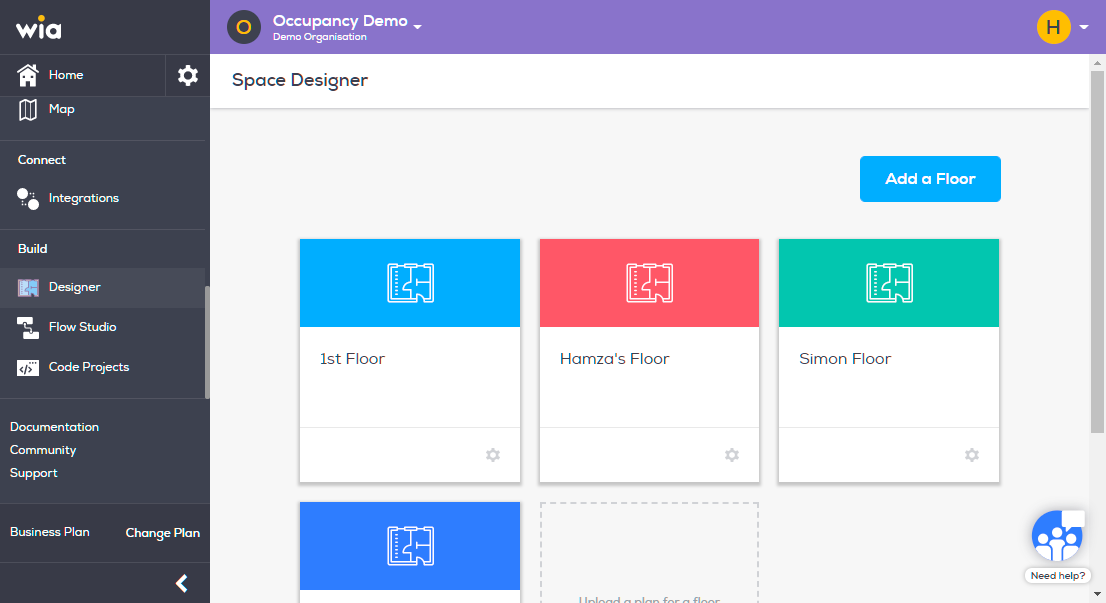
- Login to you your Wia dashboard, select the Space where you uploaded your Floor Plan and select Designer under Build section. Click the Floor that contains Place you want to edit.
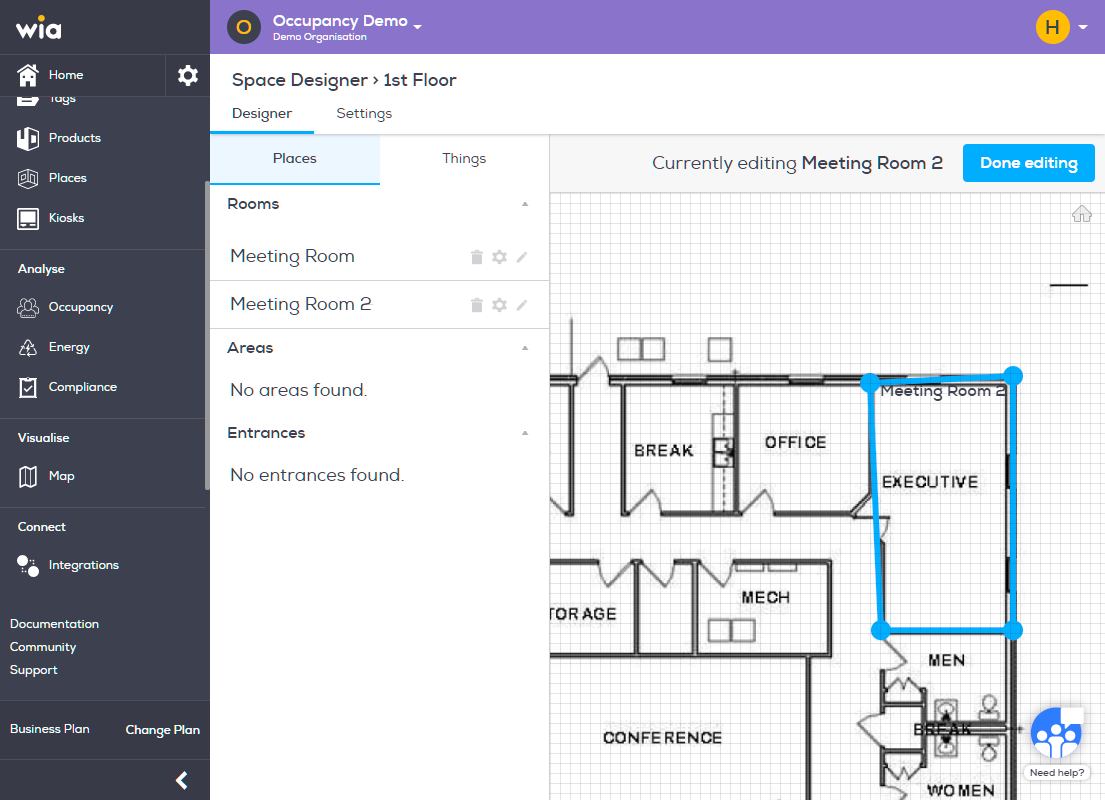
- To Edit the Place on Floor Plan, click grey Pencil icon in front of the Place name. Now you can edit the area on Floor Plan by dragging the corners of the polygon. When done click "Done Editing".
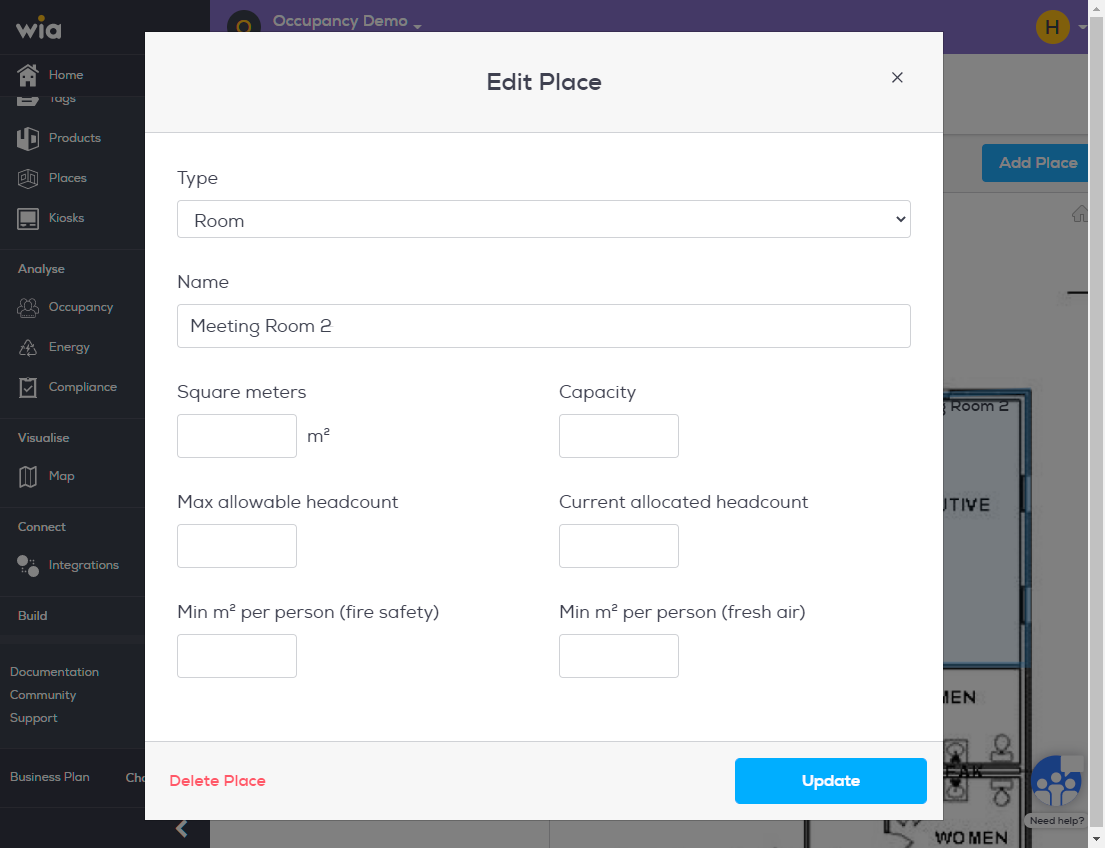
- To edit Place settings click grey Gear icon infront of the Place name. Make the required changes and when done click Update.

Type to search, ESC to discard
Last updated on
Next to read:
Add Device to Floor PlanDiscard Changes
Do you want to discard your current changes and overwrite with the template?
Archive Synced Block
Message
Create new Template
What is this template's title?
Delete Template
Message
