Create a Flow
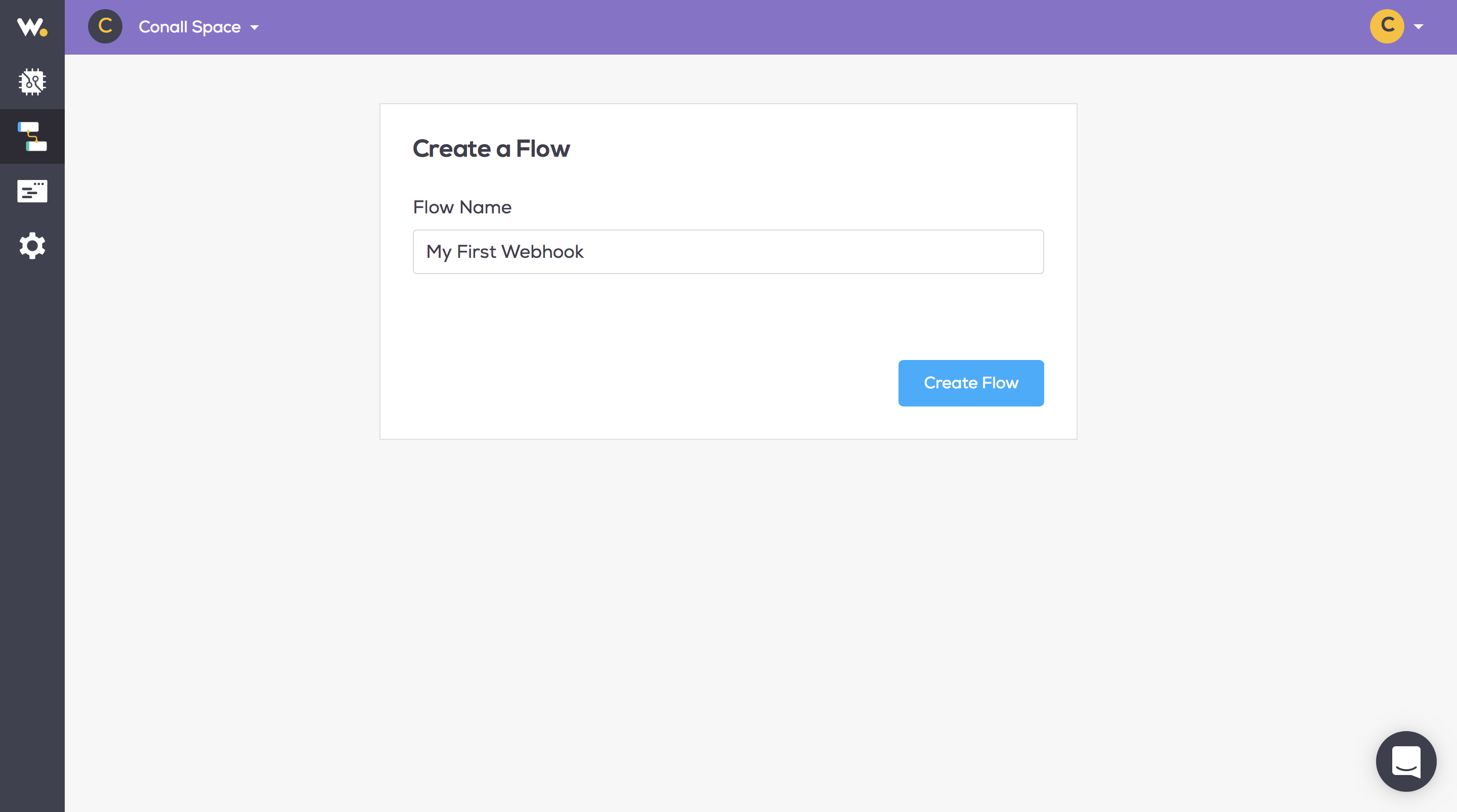
In your space, click on the Flows icon in the left side menu and go to the Create a Flow page.
Add a Trigger Node
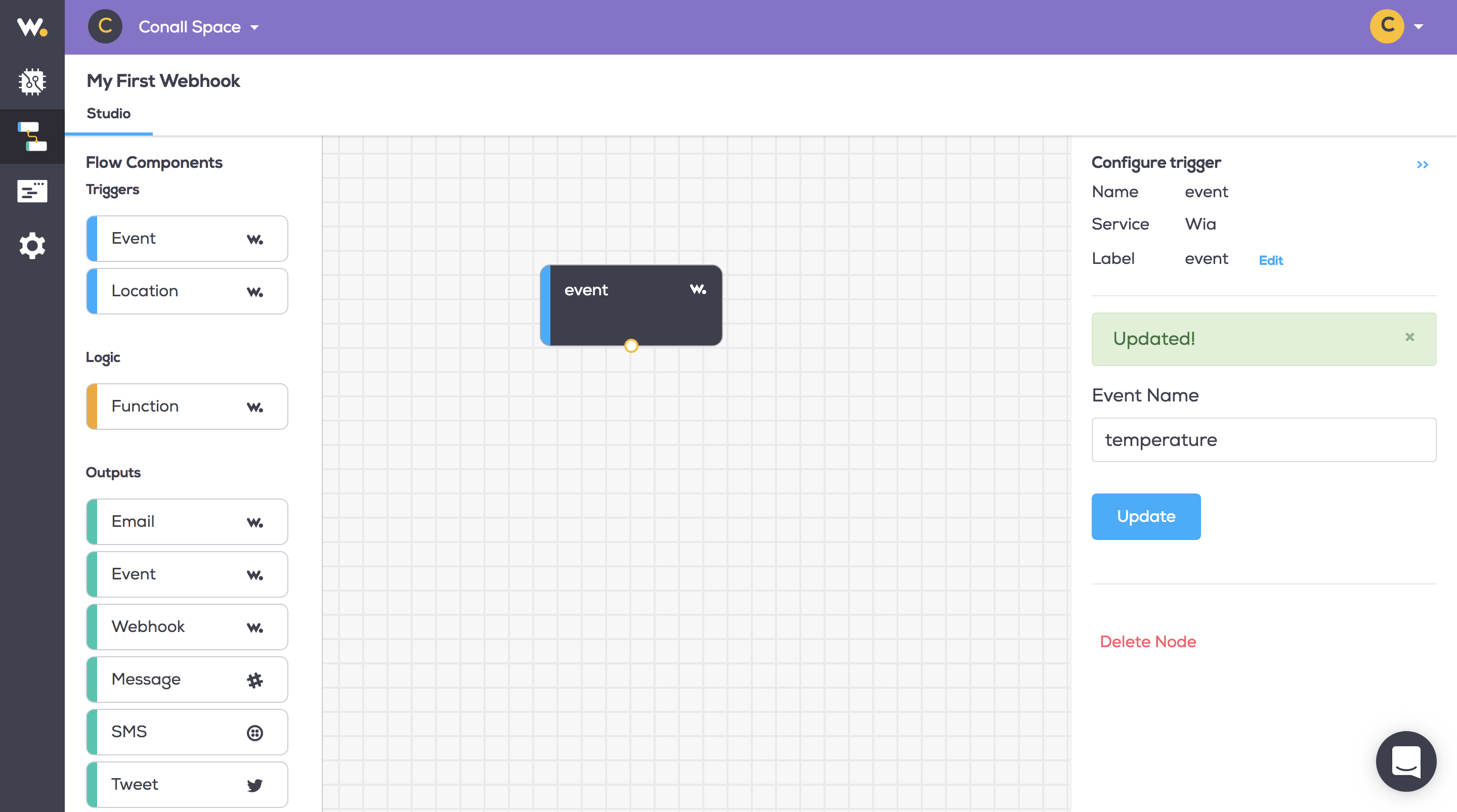
Once the flow is created, drag over a trigger node. A trigger node is the thing that will cause the flow to run e.g. temperature event received from a device.
Add an Output Node
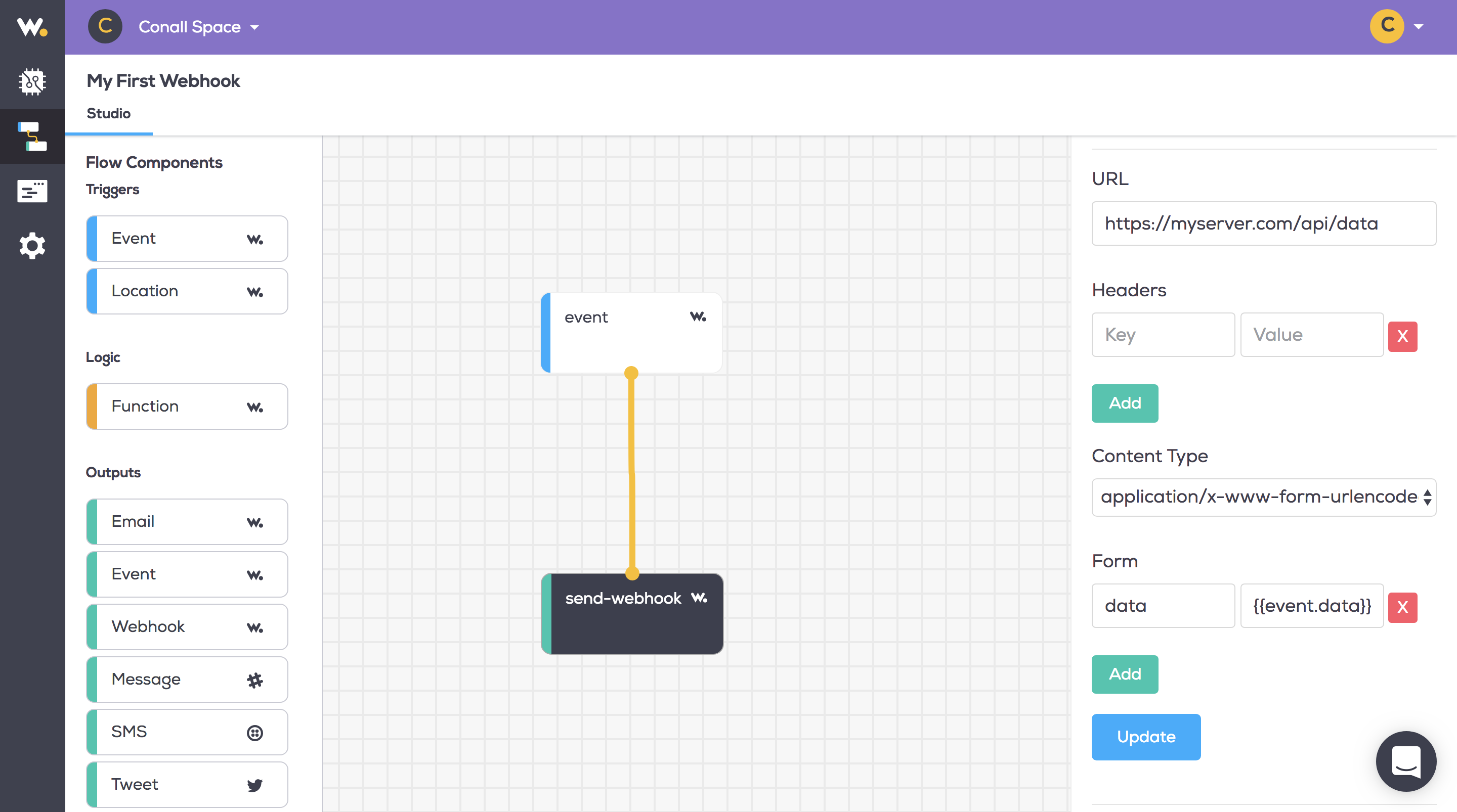
From the node menu, drag over the webhook output node. An output node is when a flow condition has been met causing an action to be carried out e.g. send an email, publish a new event.
In the output node settings, add the URL you would like to push the data in. The example below shows how to send a POST request to https://myserver.com/api/data that includes the data payload of the event.
Once this is done, connect the trigger node to the output node and add the flow to a device.